
Integrations · n8n
No-code node for n8n
Every contact that arrives, verified before it enters the CRM.
Add the RadarAddress node to your workflows and verify addresses, emails, phone numbers, websites and names before they enter your CRM, spreadsheet or newsletter. No code required.
- Free node
- 500 emails and 50 addresses verified free every month
- No credit card
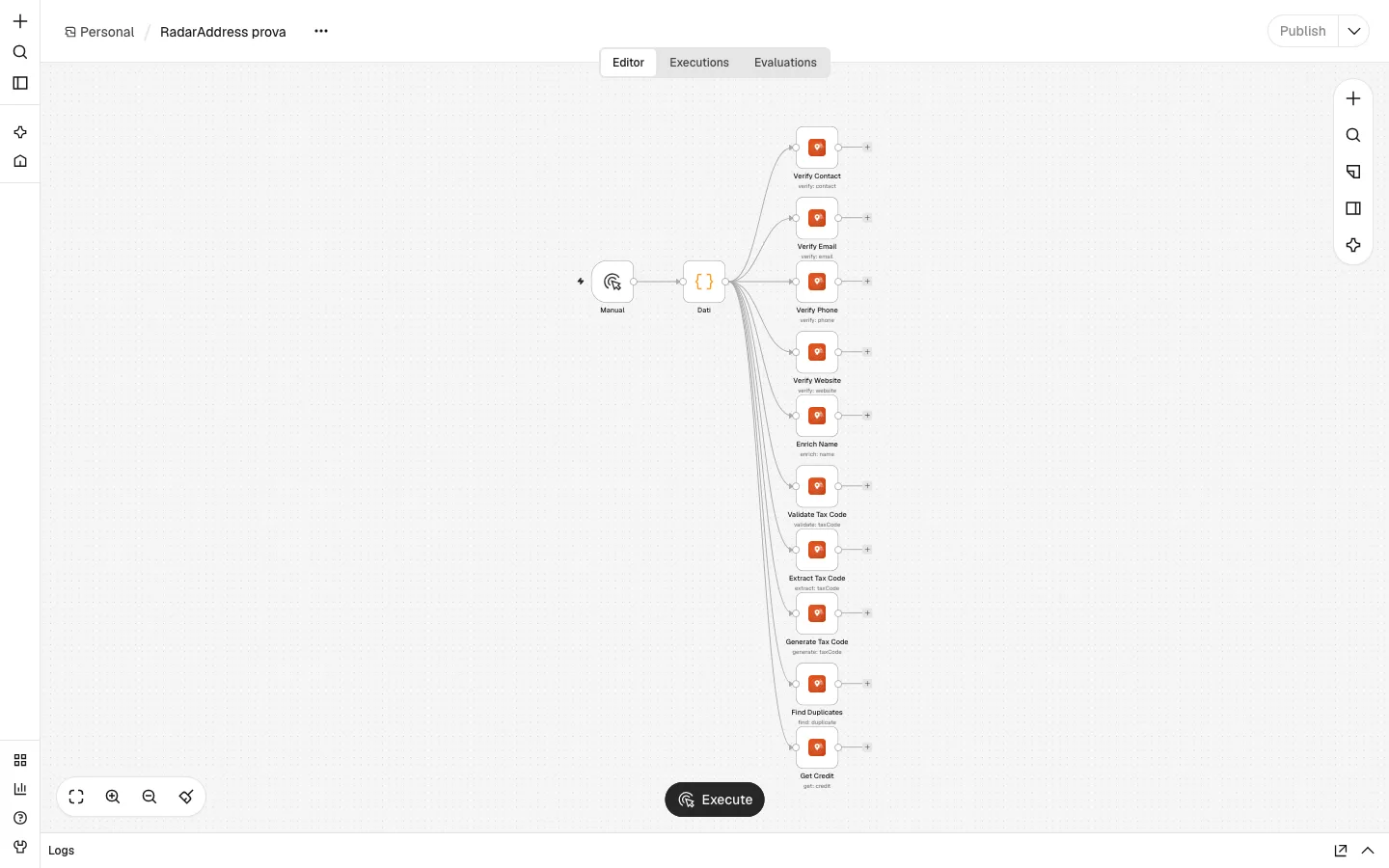
The actions
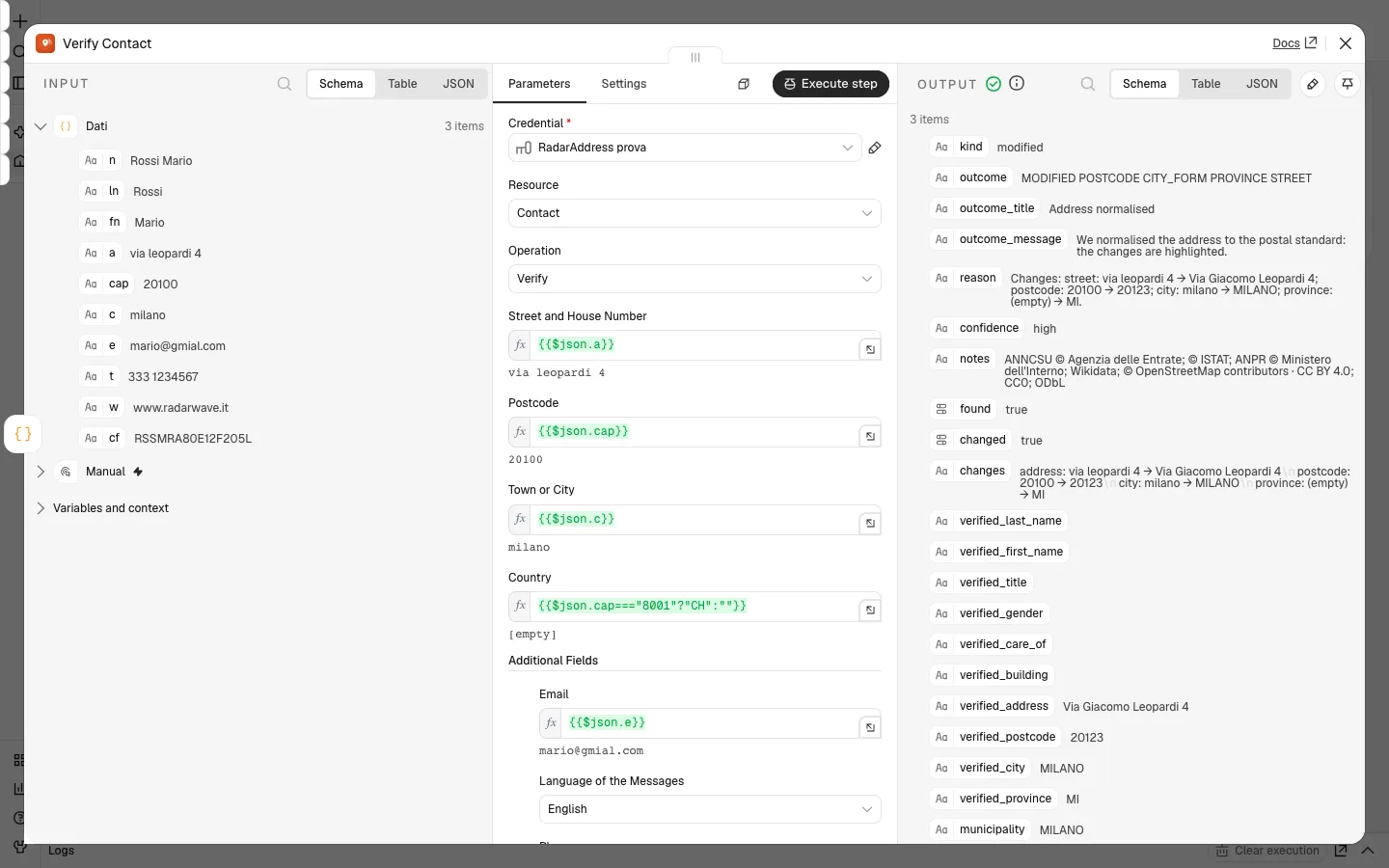
- Contact · Verify·the address verified against the country's register: street, number, postcode and city corrected, the envelope format, the coordinates, the reliability; also the name, the codice fiscale, the email, the phone and the website, if present
- Email · Verify·whether the mailbox can receive mail, the typo in the domain corrected when it is certain, disposable and generic mailboxes recognised; without sending any email
- Phone · Verify·the number in international format, mobile or landline, the area; up to three numbers in the same field, separated
- Website · Verify·the website written in the right form, whether it responds, where it leads and whether the certificate is valid
- Name · Enrich·surname, first name and title separated, the person told apart from the company, the formal and informal salutation in the language of the country
- Tax Code · Validate, Extract, Generate·the tax code checked, including omocodia variants, with date and place of birth read from the code, or calculated from the person's details
- Duplicate · Find·the contacts that are the same person among those reaching the node, with the level of certainty and the reason
- Credit · Get·the operations available on each counter, without using any
What it looks like
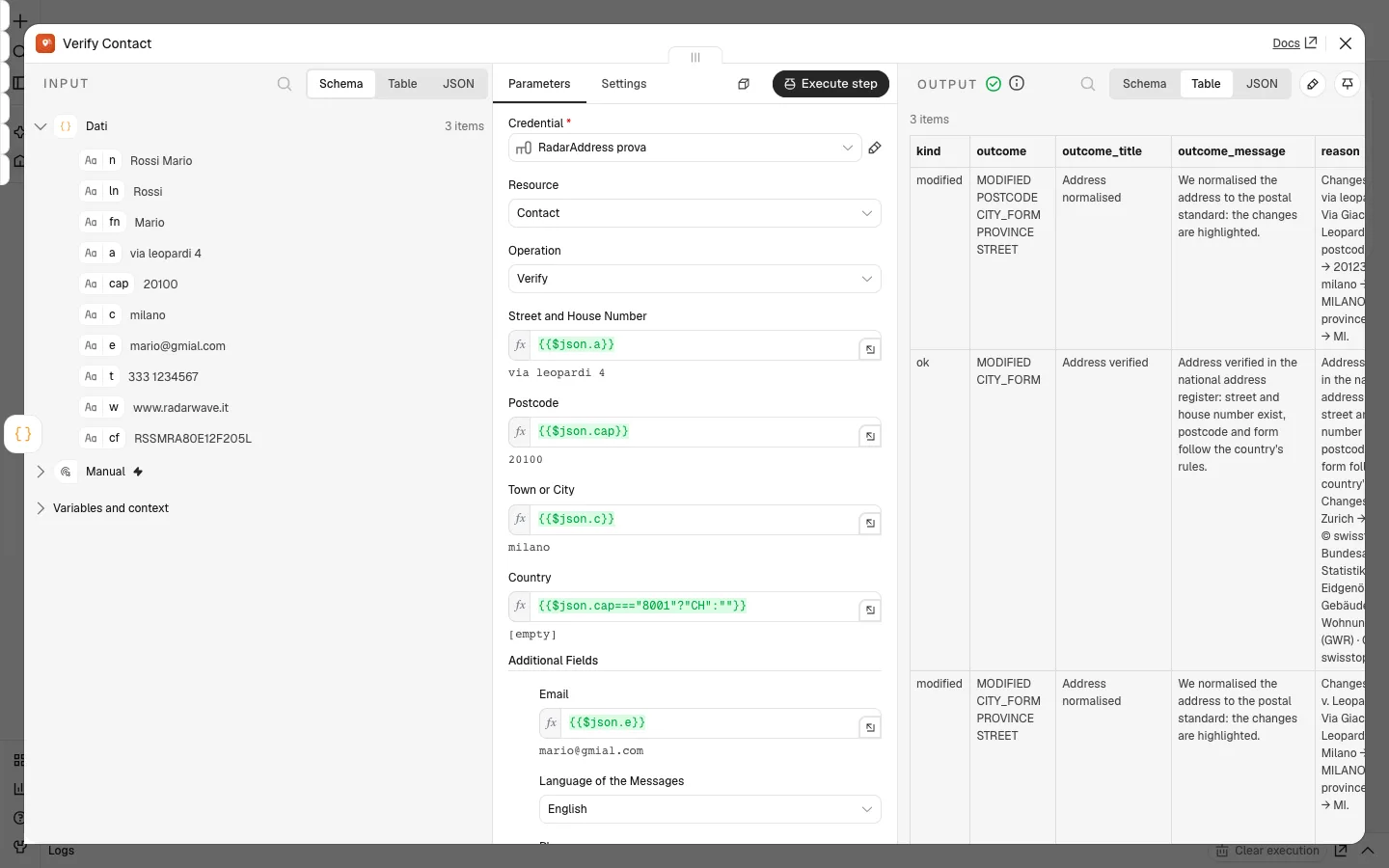
Three n8n screenshots with a test workflow: the workflow, the node settings, the outcome.
How to connect it, in three steps
Install the node
In n8n open Settings → Community nodes, choose “Install”, enter n8n-nodes-radaraddress and confirm. Alternatively download the file and install it in the nodes folder: npm install ./radaraddress-for-n8n-1.0.0.tgz in ~/.n8n/nodes (with Docker, /home/node/.n8n/nodes), then restart n8n. You need n8n 2.0 or later.
Connect your account
The account is free, doesn't ask for a card and includes a monthly allowance of operations. In n8n create a "RadarAddress API" credential, paste the token you create in your account area, under "API tokens", and click "Test".
Build the workflow
Add the RadarAddress node after the event that starts the workflow (a new contact, a form response, a new row), choose the operation and specify the fields to verify. Then write the "verified_" fields wherever you need them.
Have a prepaid code? Sign in to your account, open Enter a code from the menu, type the code and press “Continue”, then “Confirm and redeem”. The operations are added to your account straight away, at no charge, and work with the token you already have.
Requirements: n8n 2.0 and Node.js 22 or later. The node is published under the MIT licence.
The node sends RadarAddress only the fields you specify in the operation, along with the workflow name and the address of your n8n instance so we know where the operations come from. The privacy policy and the Terms apply; the data stays in the European Union.
Three workflows to start from
- The website form·a new form response goes through Email and Phone before entering the CRM: the misspelled email corrected, the one that can't receive mail flagged, the phone number ready to call
- The new contact in the CRM·Contact checks the address and an IF node on the outcome decides: if it is confirmed with high reliability you rewrite it in the correct form, otherwise you flag it with a label
- The newsletter subscriber·Name splits surname and first name, recognises the title and writes the salutation in the language of the country, ready for the first email
Frequently asked questions
Does an address that can't be found stop the workflow?
No. The node still succeeds and returns the outcome: "ok", "modified", "warning" or "error". You decide, with an IF node, what to write into the CRM. The workflow only stops if the token is no longer valid or your operations have run out; with "Continue On Fail" the item carries the error and the others carry on.
Does the node change the data in my CRM by itself?
No. The node returns the verified form in separate fields that start with "verified_"; you choose where to write them. Email needs extra care: in many CRMs the email is the contact's key, and overwriting it with the corrected one creates a new contact. It is best to write it to a separate field.
Does it work on n8n Cloud?
Community nodes are installed on an n8n instance you manage yourself, with npm or Docker. On n8n Cloud you can only use nodes verified by n8n.
How do I pass several contacts at once?
The node processes each item it receives, one after the other. To find duplicates, instead, all the items travel together in a single call, up to 500: the output has one item per contact, with the group it belongs to.
What does it consume?
Each item verifies one contact. Verify Contact uses one contact verification operation, which covers the email, phone and tax code of the same contact; the other operations use one light-check operation; the duplicate search uses one deduplication operation per contact. The first operations each month are free; beyond that, see the packages and subscriptions on the pricing page.
What about a whole database?
A workflow processes contacts as they arrive. For a database that is already full, it is easier to upload the file: verification and deduplication work on all the rows together.
Versions
- 1.0.0 — first version: contact verification, email, phone and website, name with salutation, tax code, duplicate search, available operations
The other integrations: AcyMailing, Community Builder, Contact Form 7, Convert Forms, Drupal Webform, Fluent Forms, Formidable Forms, Gravity Forms, Magento, MailPoet, Make, Ninja Forms, OpenCart, PrestaShop, Shopify, Shopware, The Newsletter Plugin, VirtueMart, WooCommerce, WPForms, Zapier and Your own form. The list.