
Integrations · MailPoet
Email plugin for MailPoet
Write to subscribers who really receive your newsletter.
Stops typos and mailboxes that cannot receive when the visitor subscribes, and verifies the subscribers you already have: fewer bounces, more people reached.
- Free plugin
- 500 emails verified free every month
- No credit card
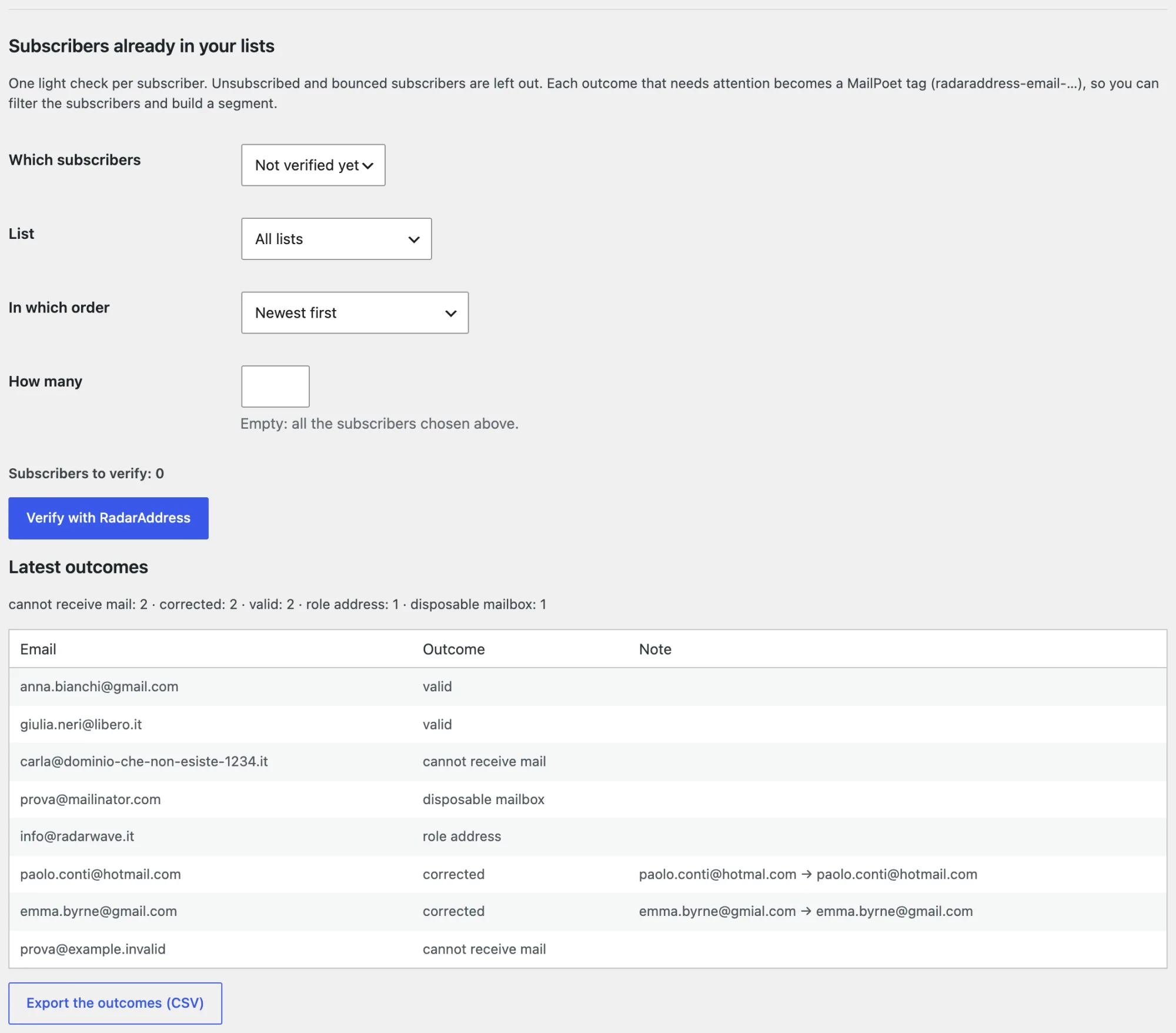 Outcomes in MailPoet tags
What it does
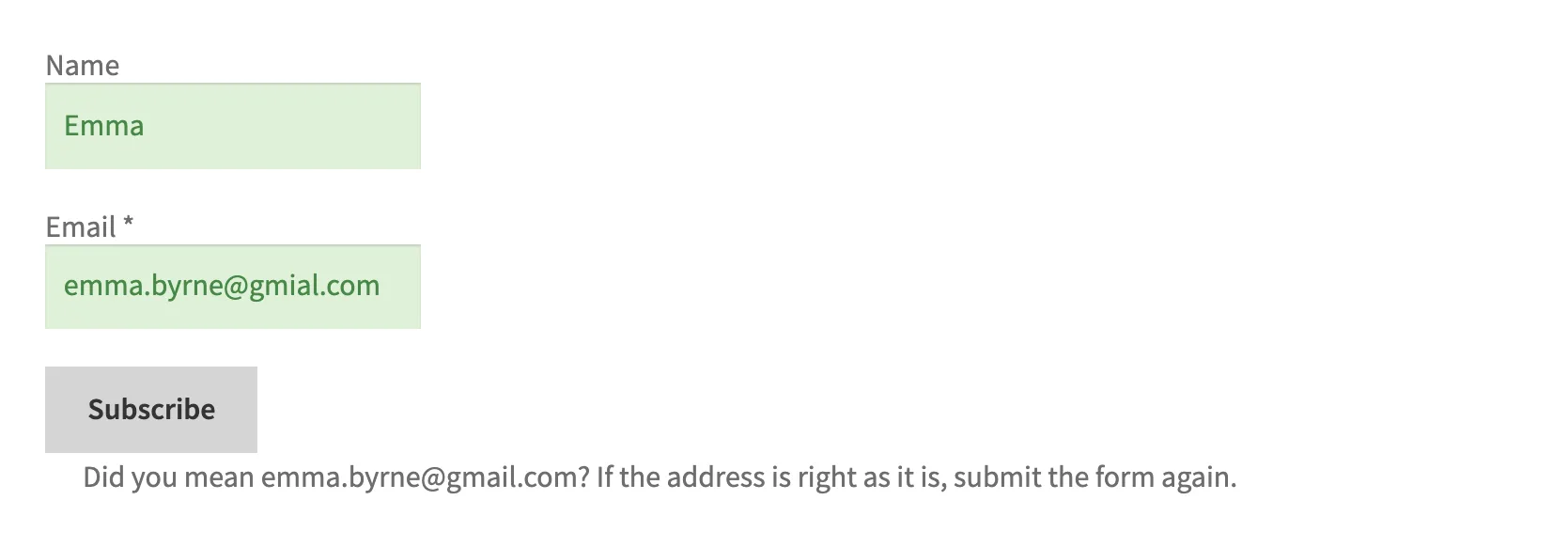
- At sign-up·every MailPoet form verified: syntax, domain that receives mail, disposable mailbox, role address (info@, …); faced with a typo the visitor reads «Did you mean …?», an address that cannot receive is refused with a message in the form
- On the subscribers you already have·choose which ones, from which list, in what order and how many: the unmistakable typo is corrected in the subscriber, the original stays with the outcome
- Where you see the outcomes·in MailPoet tags, to filter the subscribers and build a segment; in MailPoet → RadarAddress, with the CSV export
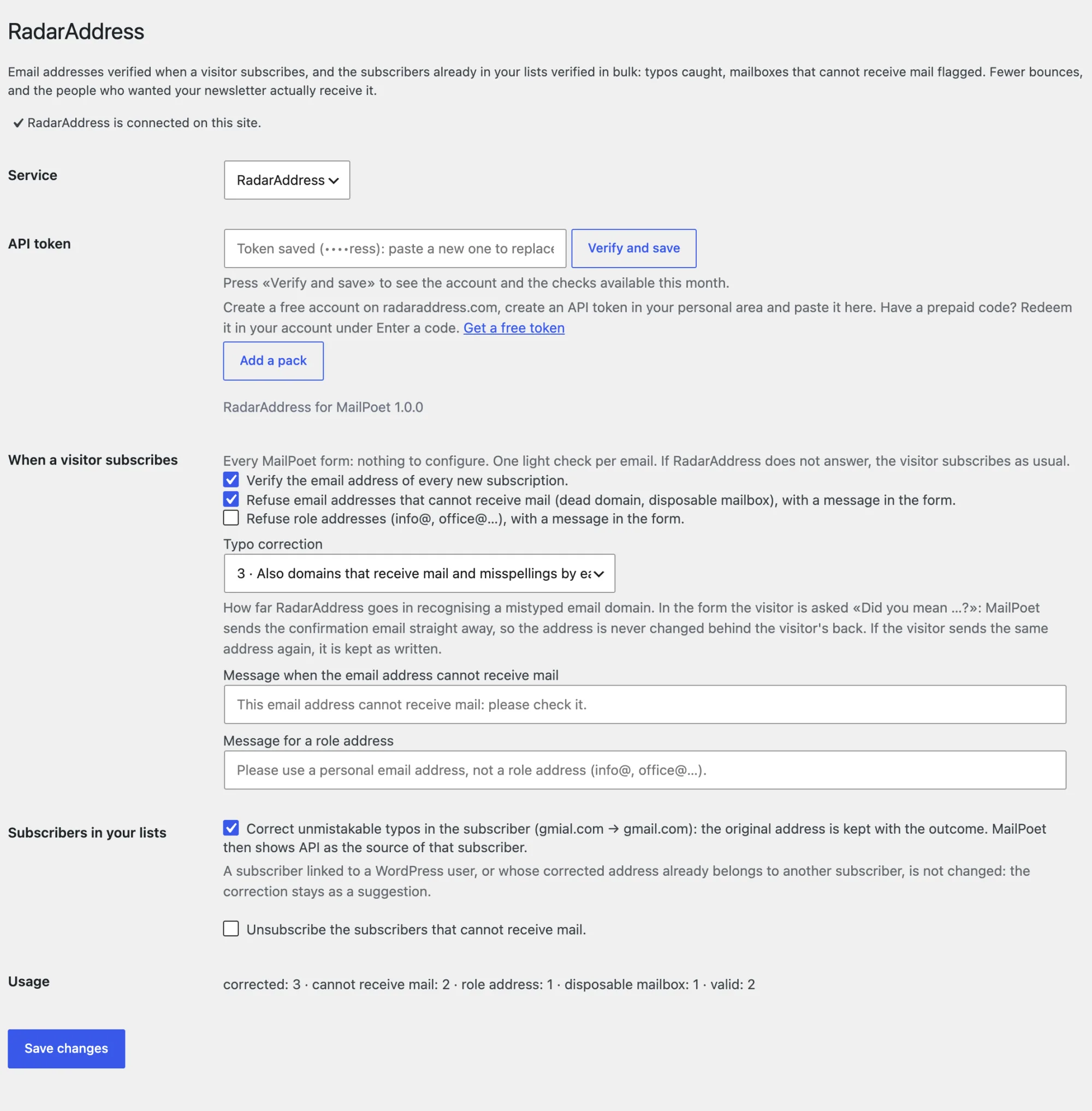
- In the settings·in MailPoet → RadarAddress: the token of your account with «Verify and save», the sign-up and subscriber switches, typo correction (1-3), this month's usage
- If we do not respond·the sign-up goes through as usual, no message to the visitor
One example, as it came out of the engine:
- giulia.bianchi@gmial.com→giulia.bianchi@gmail.com
What it looks like
Three screenshots from the test site: the subscribers to verify, the form, the settings.
How to try it, in three steps
Install the plugin
Download the zip and upload it from Plugins → Add Plugin → Upload Plugin: it includes the thirteen languages and updates from our site. MailPoet 5.45 or later is required.
Create the account and the token
The account is free, asks for no card and includes an allowance of operations every month: the token is created in one click and the steps are explained there.
Paste and verify
MailPoet → RadarAddress: paste the token, press «Verify and save» and try your subscription form. From then on every sign-up is verified; below you find the subscribers already in your lists, with the count before the button.
Have a prepaid code? Sign in to your account, open Enter a code from the menu, type the code and press “Continue”, then “Confirm and redeem”. The operations are added to your account straight away, at no charge, and work with the token you already have.
Requirements: WordPress 6.4, PHP 8.1, MailPoet 5.45 or later. Interface in the thirteen languages of the site. The code is published under the GPL licence.
The plugin sends RadarAddress the email written in the form and those of the subscribers you choose to verify: nothing else. The privacy policy and the Terms apply; data stays in the European Union.
Frequently asked questions
Does it block the sign-up if the email is wrong?
A mailbox that cannot receive mail is refused with a message in the form, and you can turn the switch off; a role address only if you choose to. Faced with a typo the visitor reads «Did you mean …?»: if they send the same address again, it stays as written.
Do I have to configure anything?
No: every MailPoet form is verified as soon as you paste the token. There are no fields to choose.
Where do I see the outcome?
In MailPoet tags (radaraddress-email-…), which you use to filter the subscribers and build a segment, and in MailPoet → RadarAddress, with the latest outcomes and the CSV export.
Can I verify the subscribers I already have?
Yes: choose which ones, from which list, in what order and how many. Unsubscribed and bounced subscribers are left out, so you do not use up checks on people who no longer receive your emails.
Does it change the subscribers' email?
Only for an unmistakable typo in the domain, only in the bulk verification and only if the option is on: the original stays with the outcome. At sign-up never: MailPoet sends the confirmation straight away, so the visitor corrects the address by answering the question.
How much does it cost?
The plugin is free. One light check is counted for every email verified. Every month the first 500 are free; beyond that, packs and monthly subscriptions on radaraddress.com.
What happens if RadarAddress does not respond?
The sign-up goes through as usual, with no message to the visitor, and the subscriber stays among those to verify.
Versions
- 1.0.0 — first release: email verified at sign-up (a question on typos, mailboxes that cannot receive mail refused), subscribers already in your lists verified in bulk (which ones, from which list, in what order, how many), outcomes in MailPoet tags and in the CSV export
The other integrations: AcyMailing, Community Builder, Contact Form 7, Convert Forms, Drupal Webform, Fluent Forms, Formidable Forms, Gravity Forms, Magento, Make, n8n, Ninja Forms, OpenCart, PrestaShop, Shopify, Shopware, The Newsletter Plugin, VirtueMart, WooCommerce, WPForms, Zapier and Your own form. The list.