
Integrations · OpenCart
Address and email plugin for OpenCart
Ship every order to the right address.
The address completes itself as the customer types, and every order arrives with the verification outcome: fewer returned parcels, with no extra field at checkout.
- Free plugin
- The purchase is never blocked
- No credit card
Also in the official directory: OpenCart Marketplace
What it does
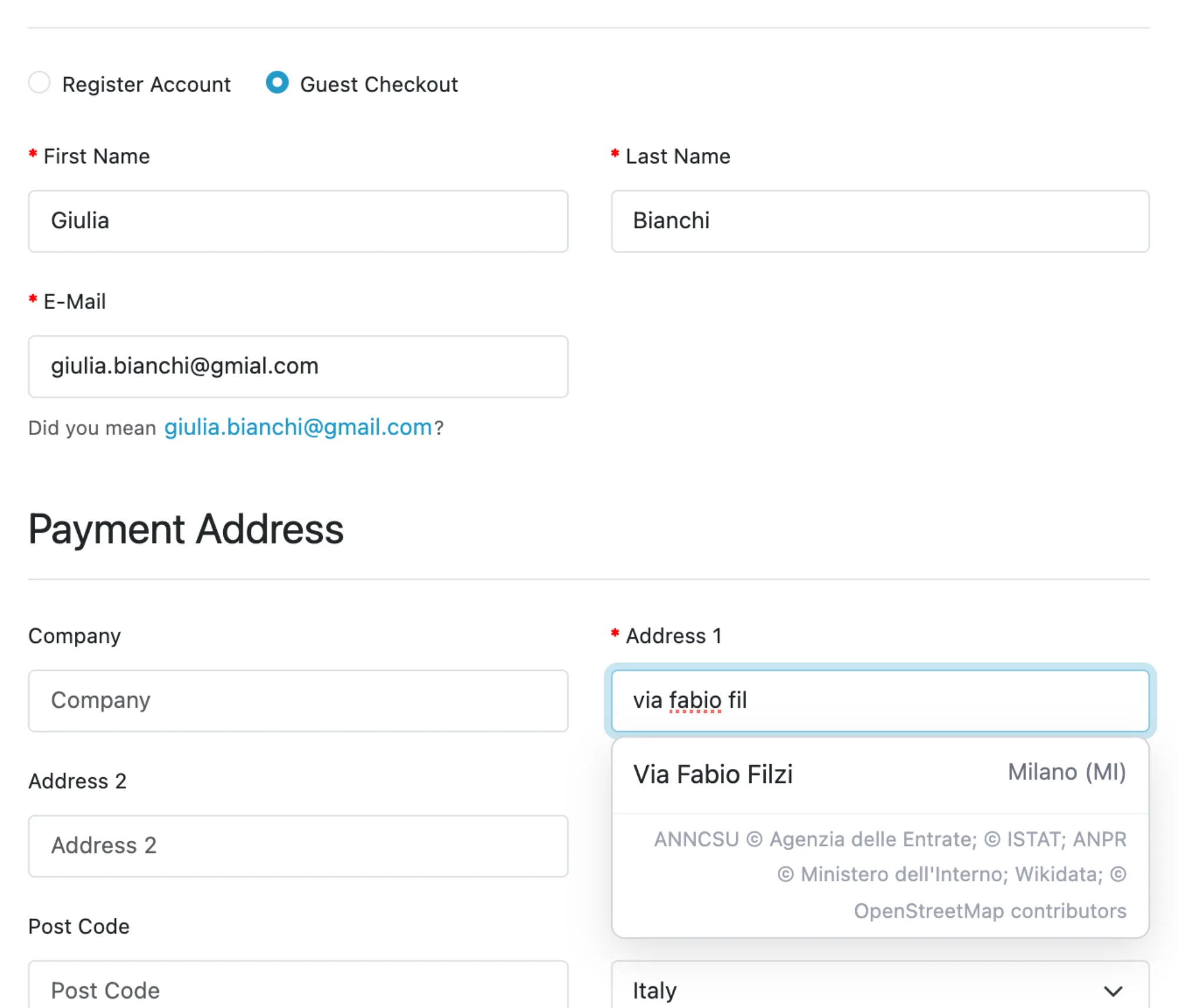
- At checkout·the address completes itself as the customer types, from the registers of the countries in service, at registration and in the address book; the customer can always type it by hand
- On the email·when the customer leaves the field, a typo becomes the question "Did you mean …?" with one click to correct it
- On every order·the shipping address (or the billing address, if there is no shipping), the email and the phone number are verified, and the outcomes go in the order's RadarAddress tab, with the number in international form; an address picked from the suggestion is not paid for twice
- On the orders you already have·an admin page verifies them in batches: which ones, in what order, how many
- If we do not respond·the customer buys as usual, no messages
What it looks like
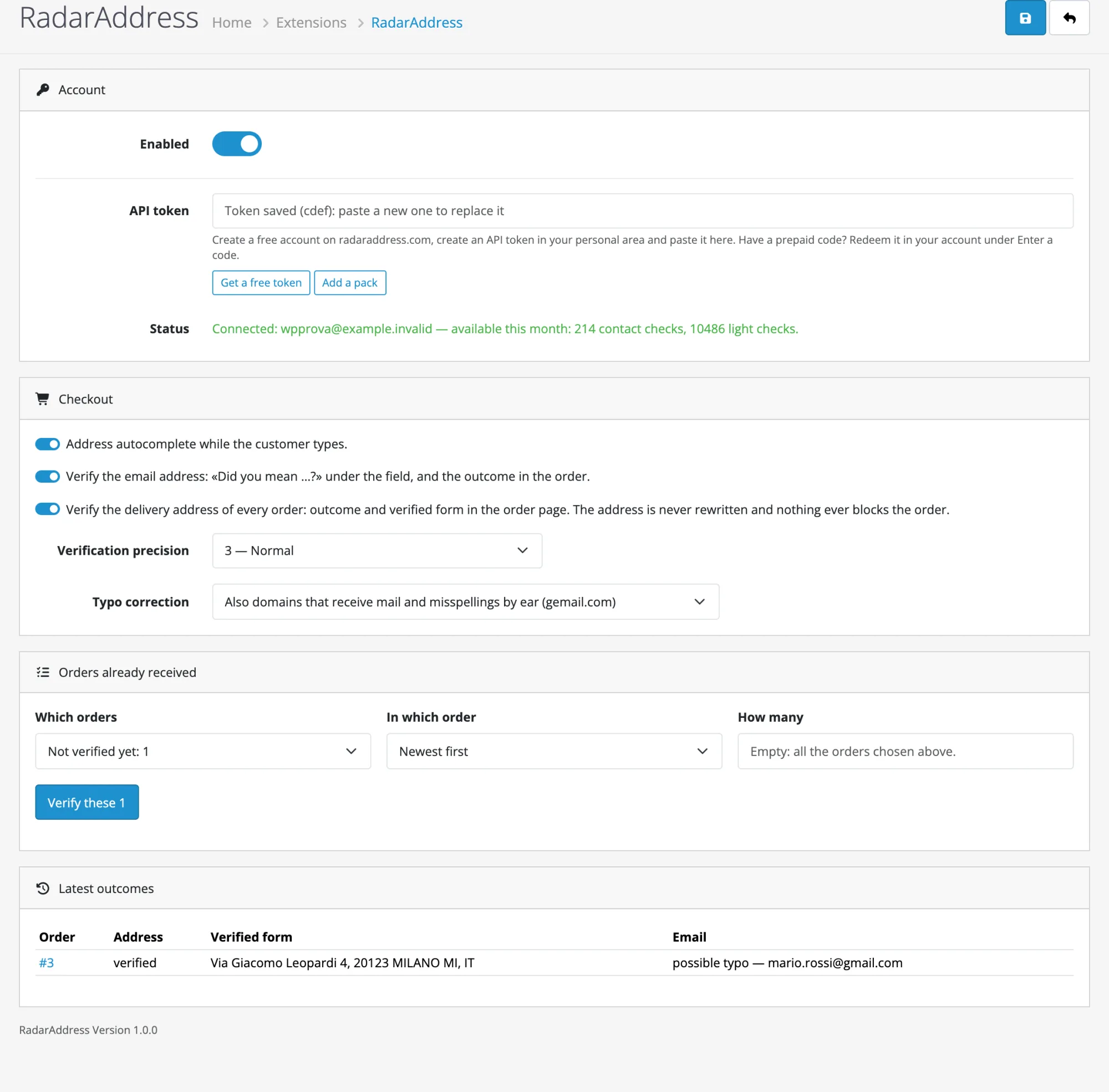
Three screens from the test shop: the checkout, the order, the settings.

How to try it, in three steps
Install the plugin
Download the zip without unpacking it, upload it from Extensions → Installer and then install the module from Extensions → Extensions → Modules. OpenCart 4.0 or later is required.
Create the account and the token
The account is free, asks for no card and includes an allowance of operations every month: the token is created in one click and the steps are explained there.
Paste and verify
From Extensions → Modules → RadarAddress paste the token and press «Verify and save», then try your store's checkout. From that moment every order is verified.
Have a prepaid code? Sign in to your account, open Enter a code from the menu, type the code and press “Continue”, then “Confirm and redeem”. The operations are added to your account straight away, at no charge, and work with the token you already have.
Requirements: OpenCart 4.0, PHP 8.0 or later. Interface in the thirteen languages of the site. The code is published under the GPL licence.
The plugin sends RadarAddress what the customer types in the address field, the email and the order's delivery address: nothing else. The privacy policy and the Terms apply; data stays in the European Union.
Frequently asked questions
Does it block the order when the address is wrong?
Never. The customer buys with what they typed; the outcome stays in the order's RadarAddress tab, so you can check before shipping.
Does it change the customer's address or email?
No. The order address stays as written, with the verified form next to it. For the email, the customer reads "Did you mean …?" and one click puts the suggestion in the field.
Where do I see the outcome?
On the order page, in a RadarAddress tab: outcome and verified form of the address, outcome and any suggestion for the email.
Can I verify the orders I already have?
Yes, from Extensions → Modules → RadarAddress: choose which ones, in what order and how many, and the page tells you how many there are before it starts.
How much does it cost?
The plugin is free. The address uses one address verification per order, which includes the email and the phone; if it is picked from the suggestions, the email and the phone use one light operation each. A share is free every month; beyond that, there are packs and monthly subscriptions on radaraddress.com.
What happens if RadarAddress does not respond?
The customer buys as usual, with no messages, and the order stays among those to verify.
Versions
- 1.1.0 — the email and the phone are verified with the address, in the same address verification that includes them; if the address is picked from the suggestions, the email and the phone use one light operation each
- 1.0.0 — first version: address autocomplete at checkout, email question, verification of every order (address, email and phone) with the outcome in the order record, verification of orders already received from the admin
The other integrations: AcyMailing, Community Builder, Contact Form 7, Convert Forms, Drupal Webform, Fluent Forms, Formidable Forms, Gravity Forms, Magento, MailPoet, Make, n8n, Ninja Forms, PrestaShop, Shopify, Shopware, The Newsletter Plugin, VirtueMart, WooCommerce, WPForms, Zapier and Your own form. The list.